Your accounts,
read for you.
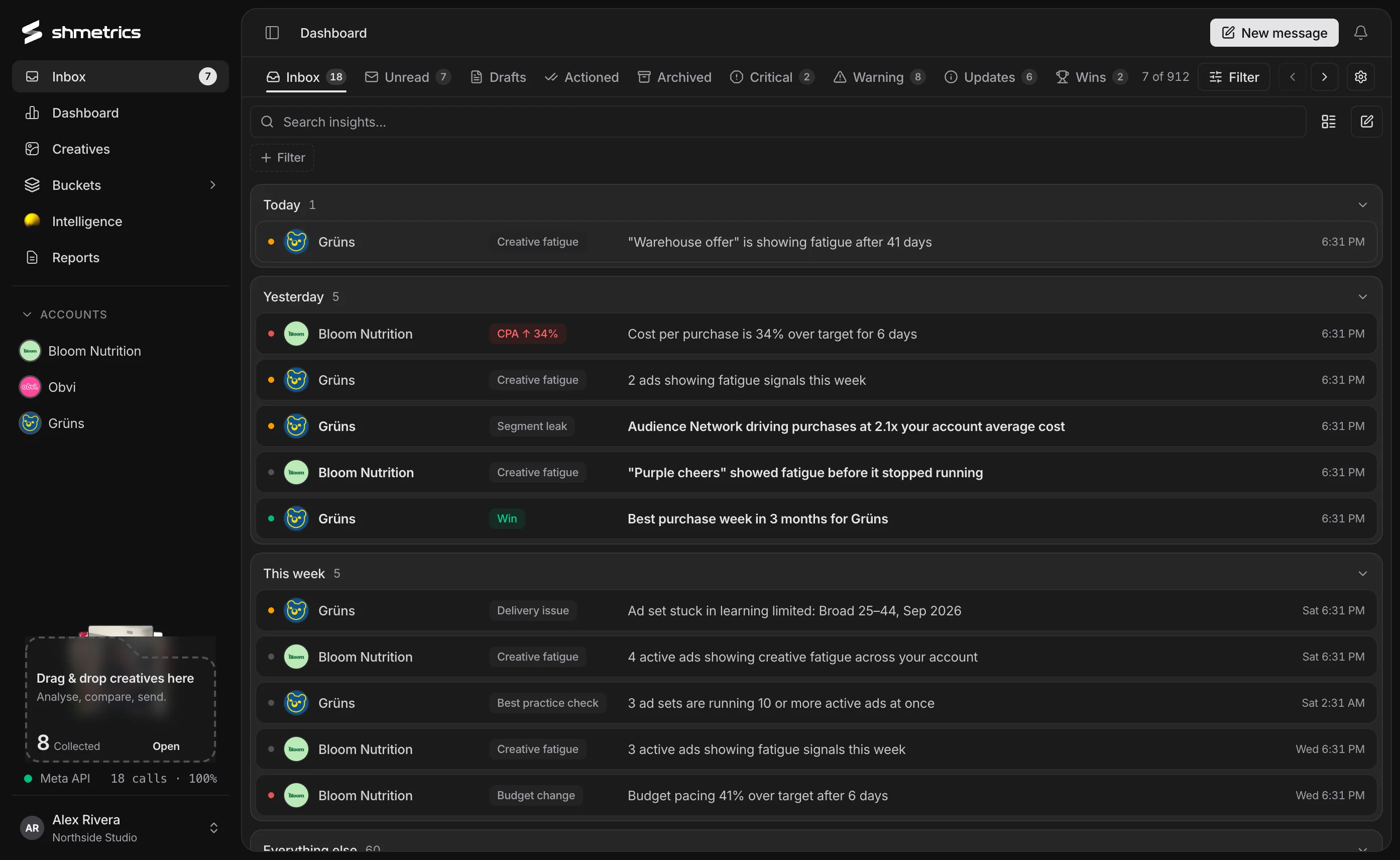
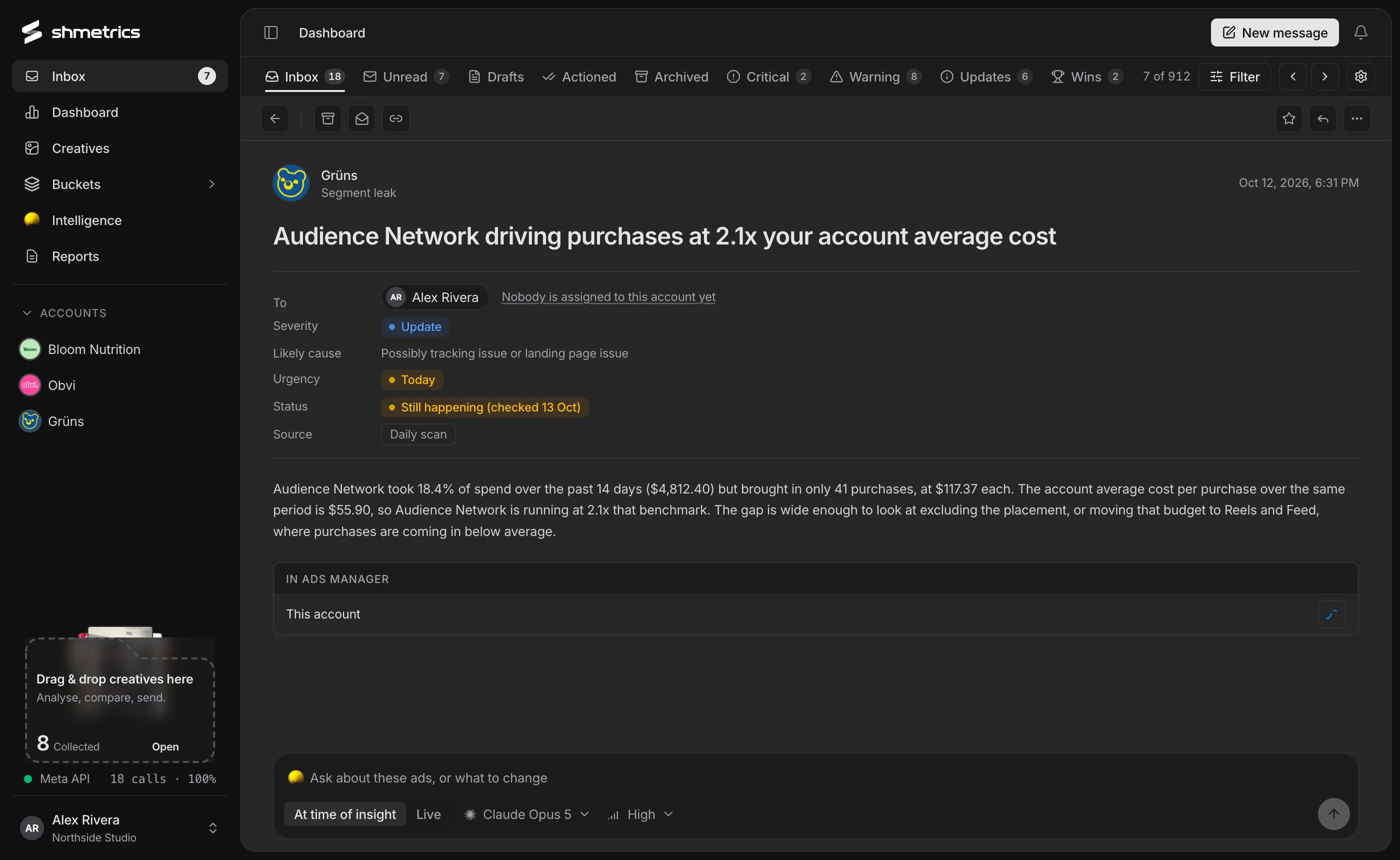
shmetrics checks every account several times a day for what a sharp media buyer would catch, and files each finding in an inbox: severity, likely cause, urgency, and the ads involved.
What happened, why, and where to fix it.
Each finding says what happened and roughly why, checks whether it is still happening, and links to the campaigns, ad sets and ads involved. Ask a follow-up right underneath it.
Fourteen checks you can switch on and off.
Choose them per account, set how sensitive they are, and decide how often each account is scanned: every four hours, twice a day or once a day.
- Conversion blackout
- Delivery stall
- Metric drop
- Learning limited
- Spend runaway
- Budget pacing
- Target missed
- Creative fatigue
- Spend concentration
- Underused pattern
- Segment cost gap
- Breakout creative
- Target streak
- Record week
An inbox, not an alarm system.
Severity and urgency
Critical, warning, update and win, with urgency from act now to this week. Filter the list by any of them.
Ask about it
Every finding has its own chat. Ask about the ads involved or what to change, on the numbers at the time or live.
One click to Ads Manager
Open the exact ads in Ads Manager, or generate a brief for a fresh variation of a tiring creative.
Routed to the right person
Assign account managers, media buyers and designers per account; findings go to the people on that account.
Team mail, built in
Send a teammate a message with charts, campaigns or ads attached, or @mention them in a chat.
Keyboard triage
Move through messages, archive and mark them actioned without touching the mouse.
Questions
Does shmetrics change anything in my account?
No. The inbox reads; it doesn’t act. When a fix is needed, it links you straight to the right ads in Ads Manager.
Will I get flooded with alerts?
You choose which checks run, how sensitive they are and how often each account is scanned. Archive anything that isn’t useful.
Where do alerts show up?
In the shmetrics inbox, with a badge and a notification bell in the app.
Start the day with what changed.
Connect a Meta ad account in a couple of minutes. shmetrics only reads; it never changes a campaign.