Every client account.
One morning.
All your clients’ accounts against their targets on one screen, an inbox of what changed across all of them, and clients on a live link instead of a monthly deck.
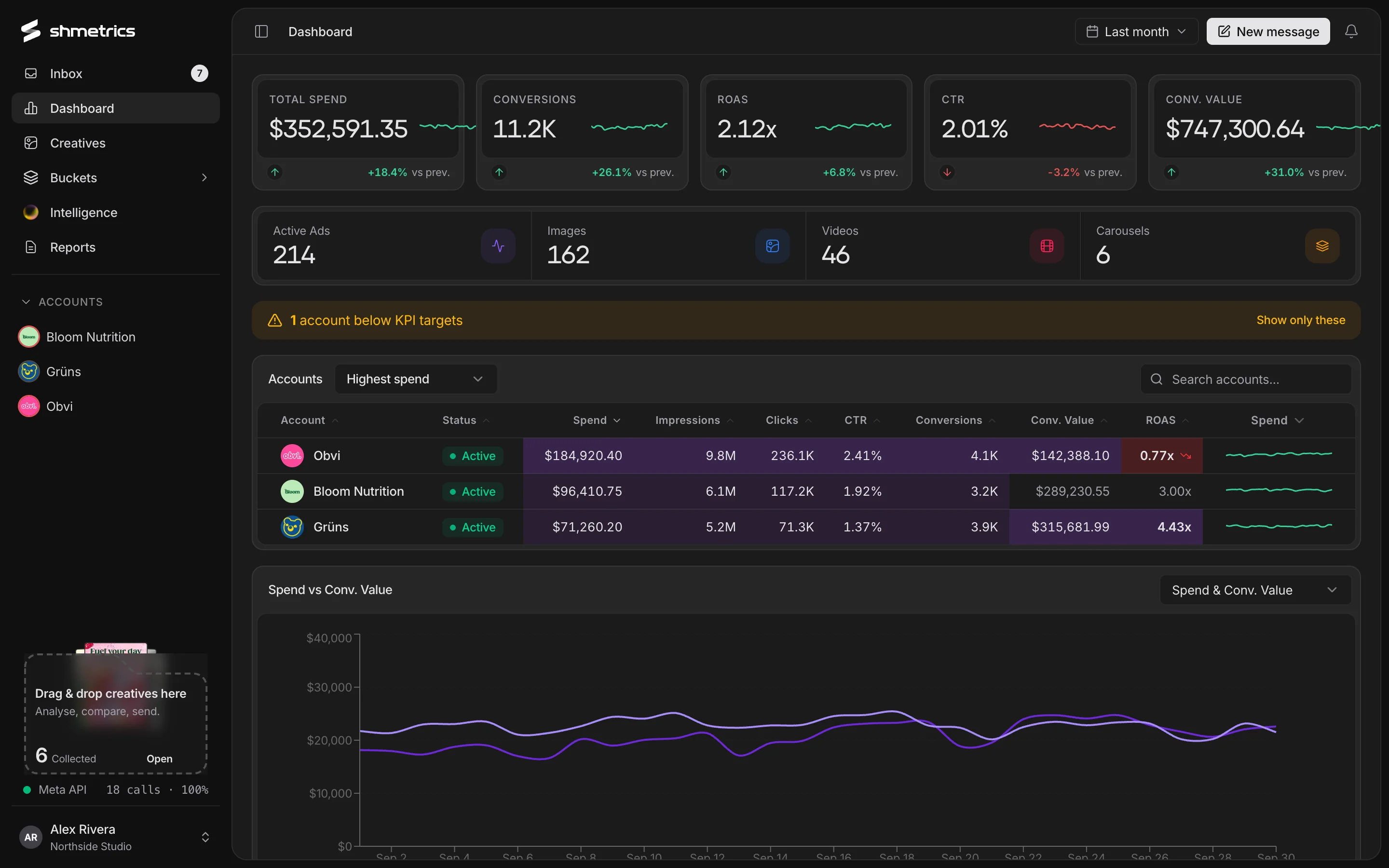
Agencies don’t lose clients over one bad week. They lose them over the problem nobody noticed for a month. shmetrics is built to notice.
Exceptions first, not a flat table.
Sort accounts by target misses first, worst ROAS or worst CTR, and let the inbox surface what changed in each one.
How the inbox works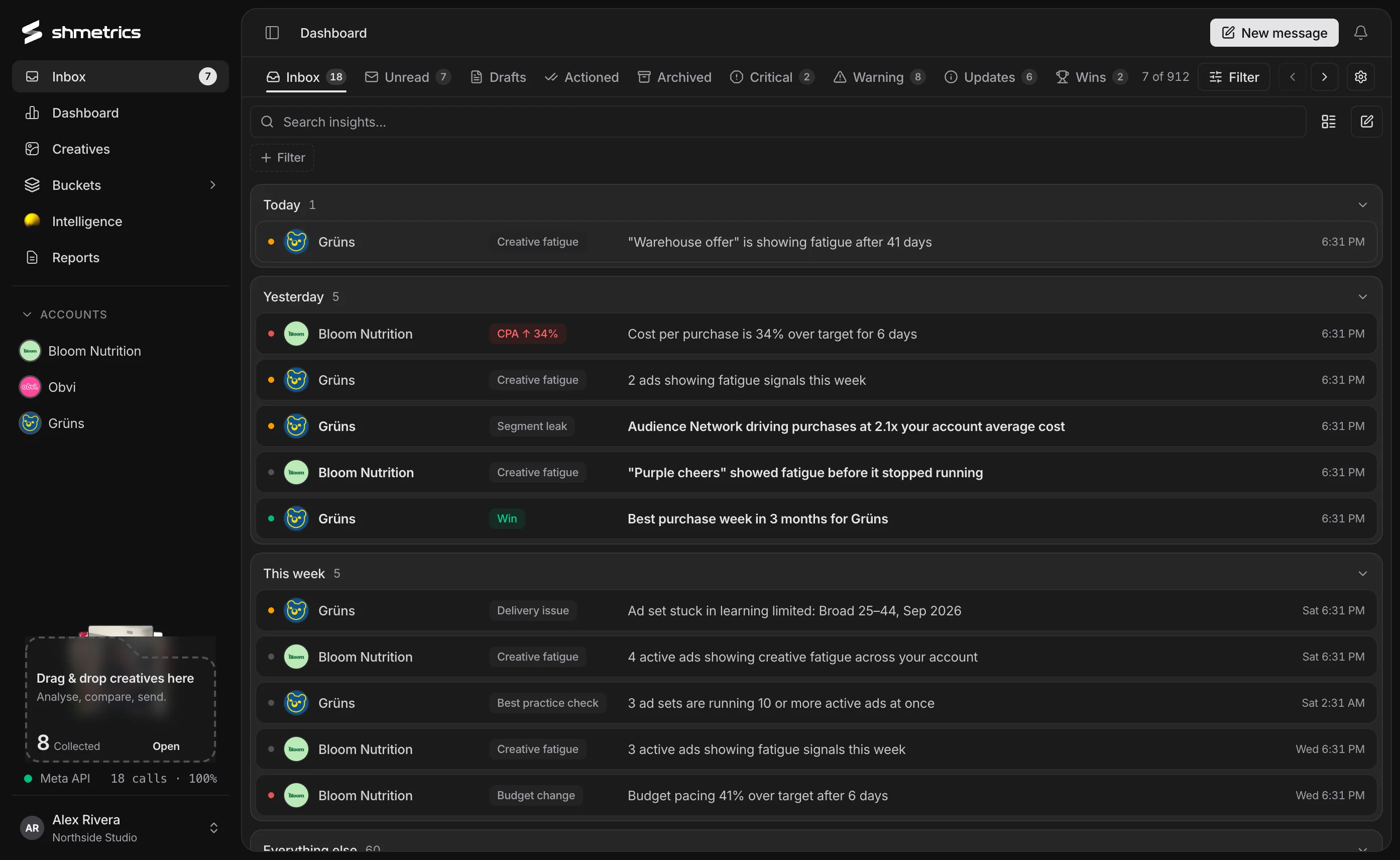
Targets, tracking and the full picture.
Set a monthly budget, target ROAS, maximum cost per conversion, target CTR and maximum CPM for each client. Choose which conversion events count, then go deep: campaigns, ad sets, creatives, landing pages, daily and hourly.
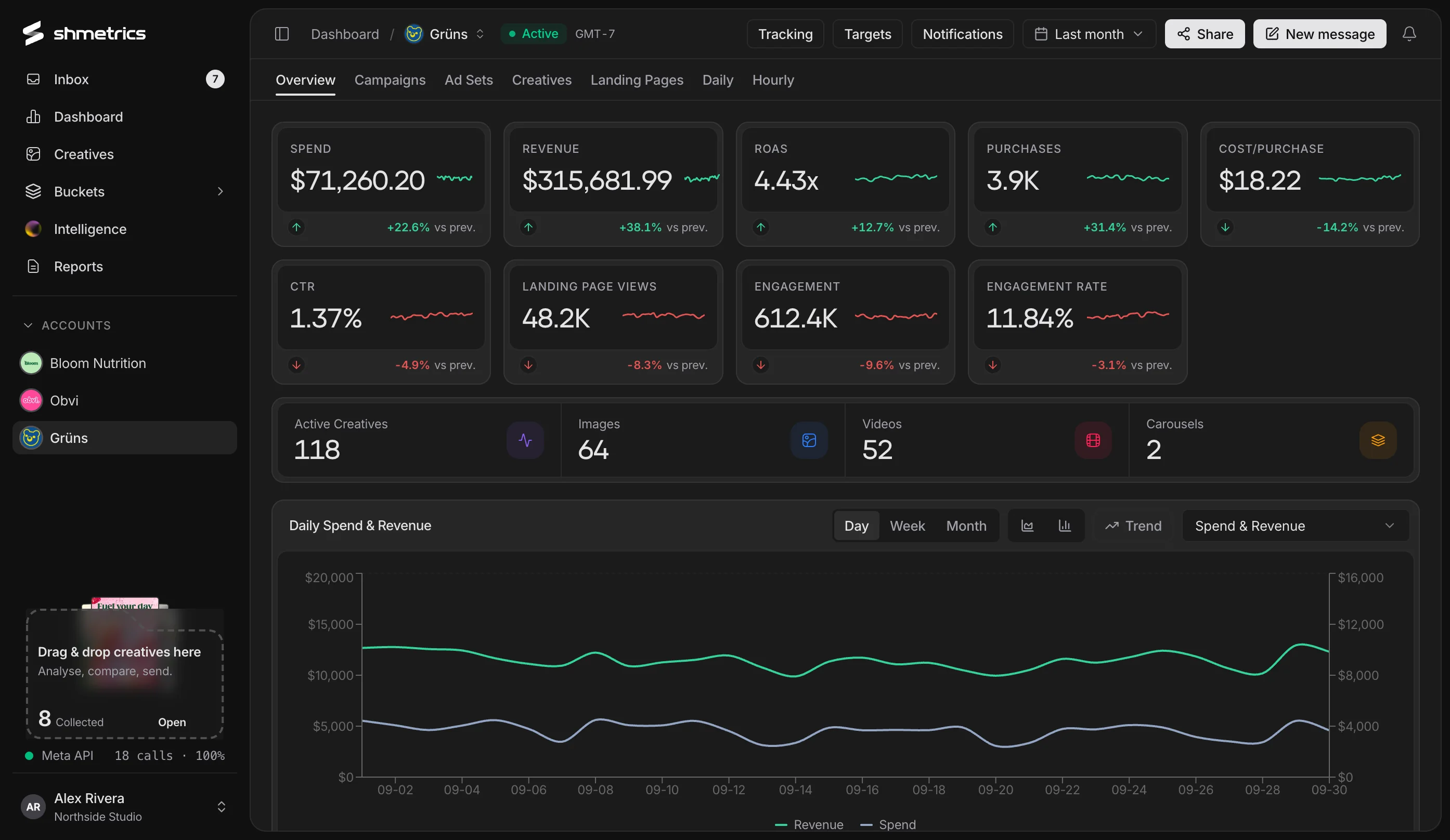
Everyone on the same numbers.
Bring in your team
Invite people with a code or link and approve who joins.
People per account
Assign account managers, media buyers and designers to each client account.
Findings to the right people
Inbox findings go to whoever is assigned to that account.
Across clients
Collect creatives from any account into one bucket to compare, ask about or share.
CSV anywhere
Export any table to CSV, with the columns you chose.
Predictable AI spend
Use the built-in key or your own, with a monthly cap and spend shown by feature and model.
Reports that sell your work.
Each client gets a live report on a link, with the creatives that earned their results. You never rebuild a deck again.
See client reports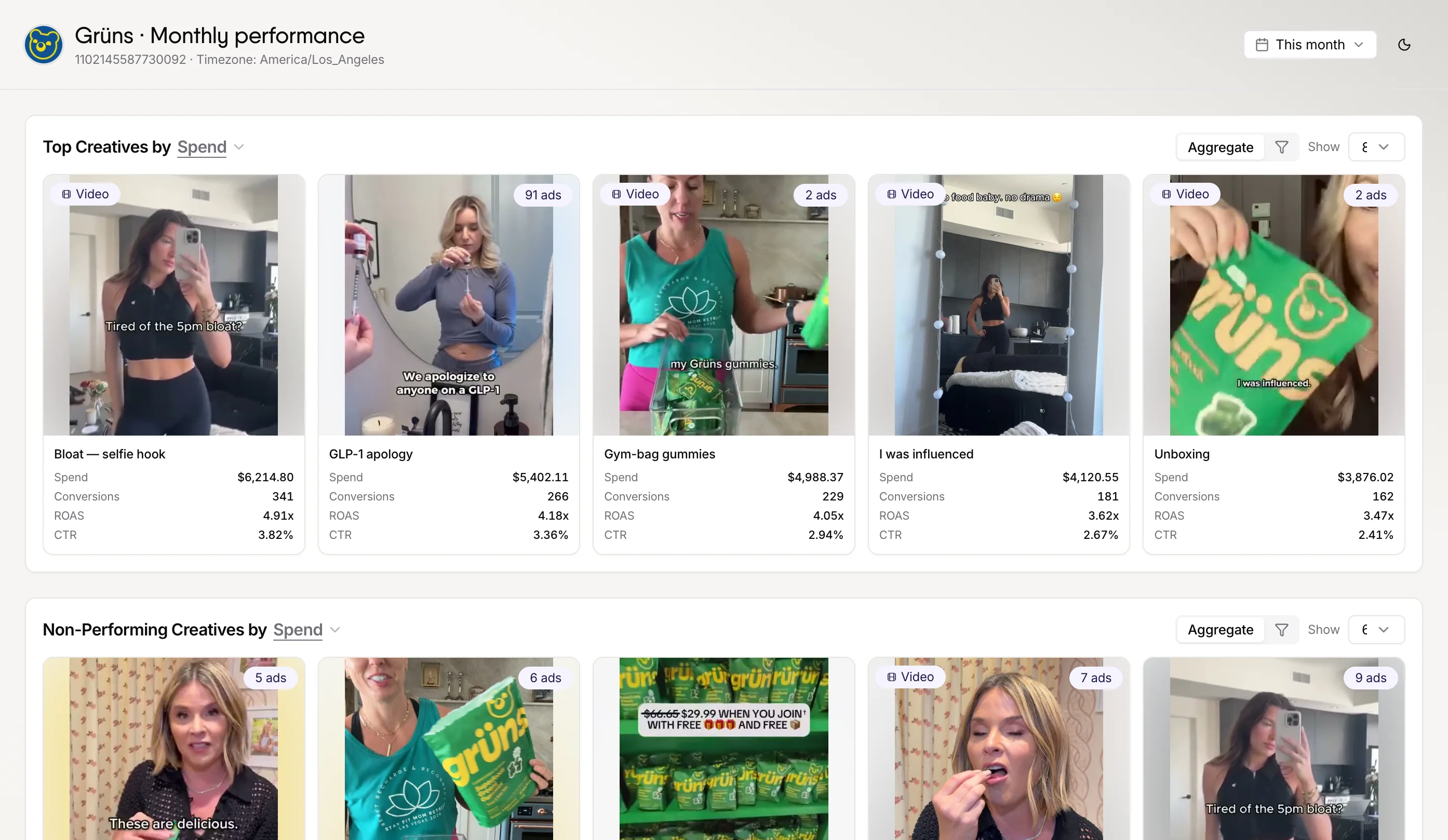
Questions
How many ad accounts can I connect?
As many as your Meta login can access. Choose the ones you want when you connect, and hide or add accounts later.
Can clients see each other’s data?
No. Each report covers one account, and each viewer only sees the reports shared with them.
Do you have agency pricing?
Get in touch and we’ll set you up for the size of your portfolio.
Give your team its mornings back.
Connect a Meta ad account in a couple of minutes. shmetrics only reads; it never changes a campaign.